
Potential laptop buyers such as college students and working professionals who work on less money may be baffled by the lack of capable, affordable laptop options in the market. However, Infinix is trying to rectify this situation to some extent. The company’s new laptop, called the InBook Y1 Plus, is a device that caters to cost-conscious laptop buyers and comes with an attractive starting price of Rs 28,990. In this review, let us find out whether the device really offers value for money and whether it can become a default choice for users with budget constraints.
low
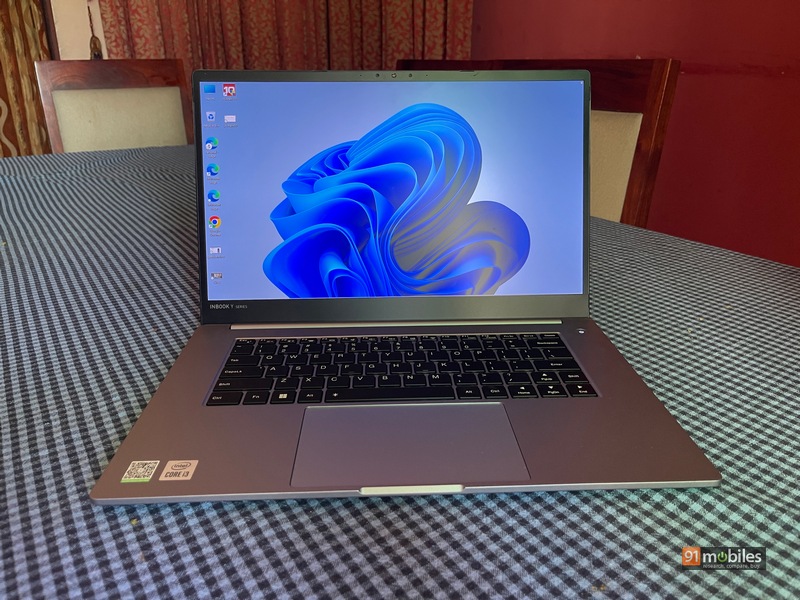
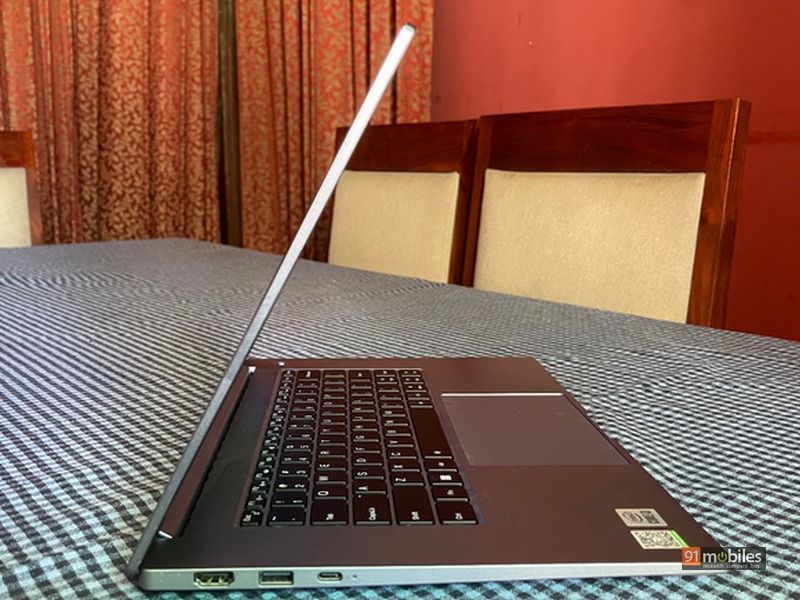
The overall design of the laptop is quite sturdy and is sleek for the most part. If portability is a factor in your buying decision, the InBook Y1 Plus won’t disappoint. It weighs about 1.7kg and is 18.2mm thick, and slipping into a backpack won’t be a problem. The lid also has a good tilt angle and the hinge is strong enough to be held without wobbling. The build of the laptop is metallic and uses an aluminum alloy for its construction. There’s a webcam up top, along with a set of LED lights, which is useful when making video calls in low light.
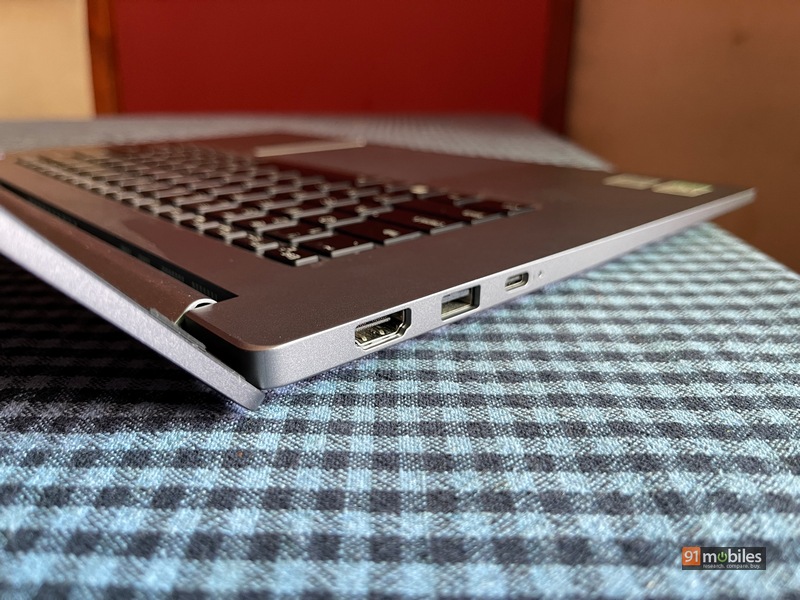
The port selection on the device is better than I expected at this price. On the right, the InBook Y1 Plus has a microSD card reader, USB Type-C slot, USB 3.0 Type-A port, and a 3.5mm headphone jack. On the other side is yet another USB Type-C and a 3.0 Type-A port, along with an HDMI 1.4 slot. Wireless options include Bluetooth 5.1 and Wi-Fi. There are apparently no biometric options available for authentication.

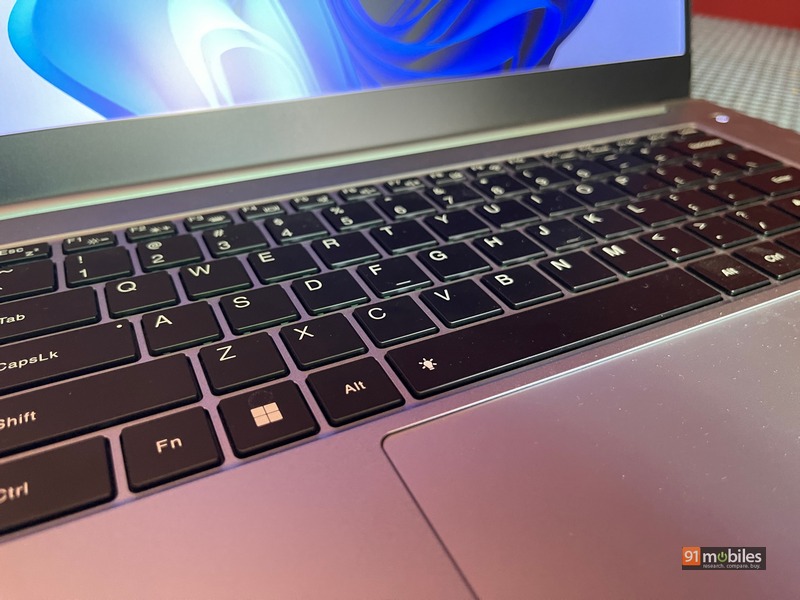
Now coming to the keyboard and trackpad, the InBook Y1 Plus impresses in both the aspects. The keys have a scissor-switch implementation with 1.5mm of travel and are quite responsive when typing. What’s more, there’s also a two-stage backlight, which I think is a nice inclusion at the Inbook’s price point. At the top of the trackpad is a smooth edge glass panel that allows your fingers to glide smoothly across the surface. Even gesture controls and latency are good enough, suited for general Microsoft Office work and Chrome browsing.
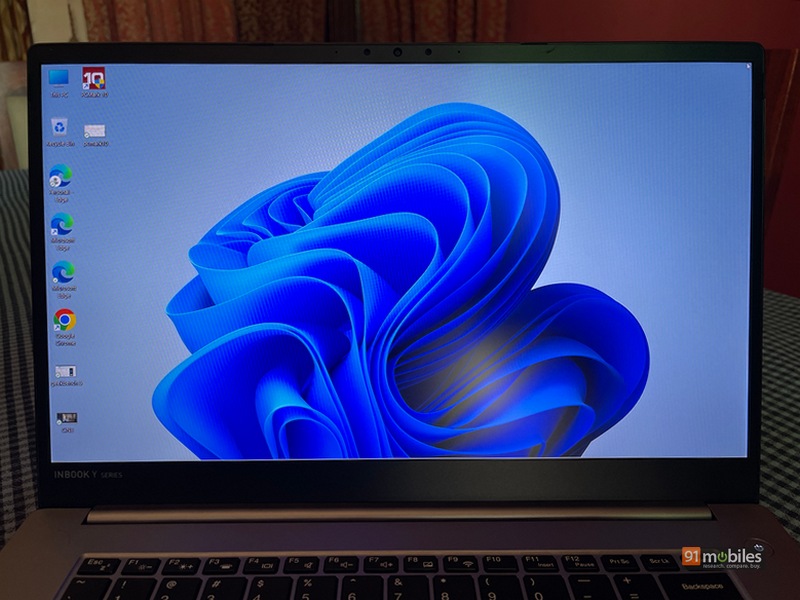
In the display department, the laptop sports a 15.6-inch LCD panel with a moderate brightness level of 200nits. You also get 60 per cent coverage of the NTSC color gamut, which should make media consumption better than what’s on offer in the segment. Furthermore, the bezels on the three sides of the screen are slim and Infinix claims an 85 percent screen-to-body ratio for more immersive viewing. My experience while reading media content has been satisfactory and I think the target consumer will echo those sentiments.

The device comes with 10th Gen Intel i3 1005G1 chipset and up to 8GB of DDR4X RAM. There’s also a 512GB PCIe SSD that can be upgraded to 1TB if needed. Long story short, there isn’t much in the way of processing prowess with the InBook Y1 Plus and it shows in the benchmarking numbers. The Cinebench R23 multi-core result showed a score of 1,922 while on Geekbench 6 the figure was 2,522. However, the story here is that if your work is geared more towards Chrome and the Microsoft Office suite of products, the InBook is capable of delivering reasonably good performance. While running 20-odd tabs and multiple applications on the machine at once might not be the best idea, you can manage a few windows to work side-by-side.
The 2W speakers below don’t sound very good and you should consider external wired/wireless speakers for audio needs. The webcam up top is a 2MP shooter that can take 1080p videos and the quality is pretty decent too. In terms of software, the InBook Y1 Plus comes pre-loaded with Windows 11, which is pretty standard on all laptops these days. Lastly, there is the battery which is a 50Whr cell that can be fast-charged at 65W via the USB-C port. While using the laptop, I got up to five hours of screen-on time, which is above average at this price point.
Decision
My final thoughts about the InBook Y1 Plus are mostly positive. Most companies sacrifice a lot in terms of the overall laptop experience in order to make their offerings more budget-friendly. Infinix has cut the right corners and managed to deliver a machine suitable for most daily needs. Of course, if you’re buying this laptop for anything even remotely close, it’s not the right choice. However, for general use cases, moderate office work, and web browsing the Inbook Y1 Plus is a sensible practical decision.
Editor’s rating: 4/5
Pros:
- well made
- affordable
- backlit keyboard
- sufficient port
Shortcoming:
- the speakers are subpar
- unable to perform strenuous tasks


