

It may have some incredible specs like a 2K AMOLED display with 120Hz adaptive refresh rate, Qualcomm Snapdragon 8 Gen 2 chip, LPDDR5X RAM, UFS4.0 storage, 120W fast charging, 50W wireless charging and more, but what makes the Xiaomi 13 Pro is really special its cameras. Or to be even more specific, the Leica flavor of its cameras.

The Xiaomi 13 Pro is a product of a collaboration between Xiaomi and Leica, one of the biggest names in photography. And unlike some camera and phone brand collaborations, which have been relatively nominal, this goes beyond the Leica branding on the camera unit on the back of the Xiaomi 13 Pro. There’s a lot of Leica inside the Xiaomi 13 Pro, which makes this a Leica-ble phone. pun intended.
The Leica side of the Xiaomi 13 Pro comes to the fore and can be felt especially in these six features:
Leica lenses on all three rear cameras, including one-inch sensors
The Xiaomi 13 Pro (like its predecessor Xiaomi 12 Pro), comes with three 50MP sensors at the back. The main sensor is the Sony IMX 989 one inch sensor, a sensor of this size is seen for the first time in a phone released in India. Apart from this, there is a 50MP ultrawide lens and a 50MP telephoto lens. The sensors are from Sony, but what makes them special is that they come with Leica’s legendary Vario-Summicron lenses, which Leica calls “professional lenses.” The one-inch sensor enables more details to be captured, but it is the lenses that enable the cameras to bring the famous Leica photographic experience to the Xiaomi 13 Pro.

Each camera has been specially tuned in collaboration with Leica, bringing the brand’s distinctive color science to the device. The hardware itself is capable of great photography but it’s the Leica lens that adds a special Leica topping to what is already a very tasty photographic pizza. (Note that the Leica Color Science and lens are only present on the rear cameras – the front-facing 32MP camera seems relatively free of Leica influence).
A floating telephoto lens that also does macro
While all three lenses on the back of the Xiaomi 13 Pro come with Leica lenses, it is the telephoto lens that really stands out. Leica calls it the “75mm Leica Floating Telephoto Camera”, the first time this lens has been seen on a phone. The lens comes with a special focal shift technology that changes from 10cm to infinity – the lens literally moves back and forth! You get 3.2x optical zoom and a very impressive digital zoom. But what’s really fascinating is that unlike other camera systems in the Xiaomi 13 Pro that use an ultrawide sensor to take macro (close-up) photos, it’s the Leica floating telephoto camera that’s used for macro duties. Is.
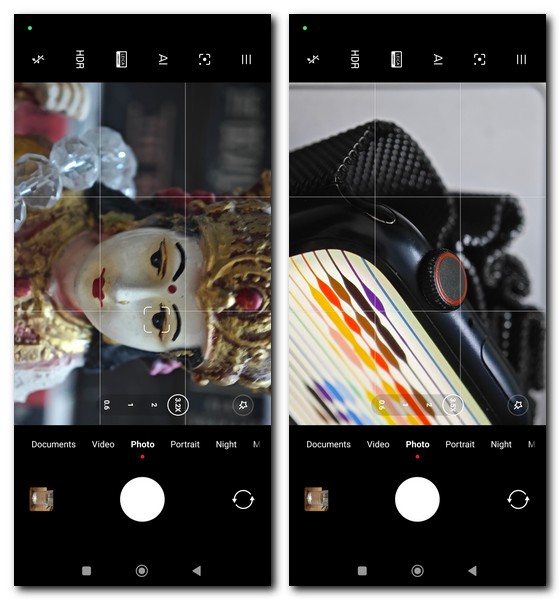
It might not get as close as some other macro cameras (some of which let you get within 2-3cm of the subject), but on the other hand, you get very high-quality 12.5MP images (the default shooting image size) sensor) with razor-sharp focus, thanks to the shifting focal length. The presence of OIS on the sensor also means that you get stable images even in low light conditions and high quality macro videos. Incidentally, you can get even closer images with the ultra-wide sensor on the Xiaomi 13 Pro.
Two photographic styles for realistic and (slightly) popping colors
The Xiaomi 13 Pro comes with two different photographic styles, each offering a different color signature to the pictures captured by the cameras on the rear of the Xiaomi 13 Pro. These are the Leica Vivid and the Leica Authentic. Users seeking the typical Leica color signature with more emphasis on realistic and life-like colors can opt for Leica Authentic. However, if what you’re seeking is slightly more vivid and popping colors (what we call “supersaturated”) go for the Leica Authentic.


Both these options are available at the top of the camera app and you can also choose the color mode option when shooting in normal, portrait or night mode. One thing to keep in mind is that the Leica Vibrant is also relatively realistic compared to some of the supersaturated, bright red-green-and-blue colors we get from many smartphone cameras. We suggest sticking with Leica Authentic and using Snapseed for vivid colors if that’s your priority.
Master lens system for four types of portrait shots
Perhaps the coolest Lecia-specific feature of the Xiaomi 13 Pro comes in the form of its Master Lens system that gives you four different portrait image styles. You can of course also go with the default portrait mode, which is great. Tap on the little disc icon to the left of the viewfinder, though, and you’ll get picture-taking options in 35mm Black & White, 50mm Swirly Bokeh, 75mm Portrait, and 90mm Soft Focus modes, all of which we suspect it’s not. That’s the result of the floating telephoto camera we discussed earlier. Each of these modes adds a completely different touch to your photography.
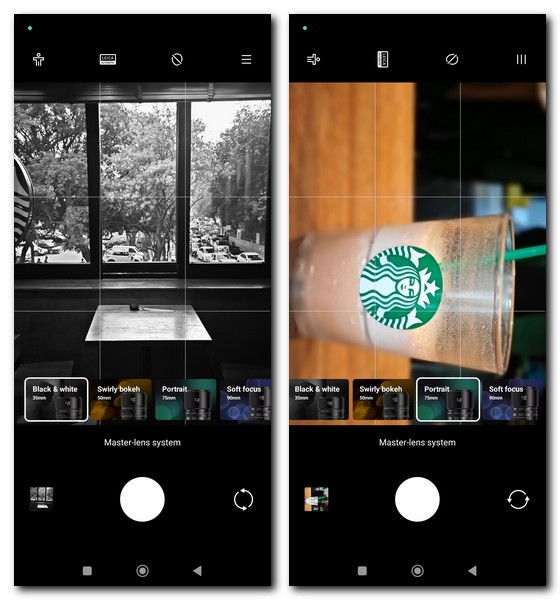
The 35mm Black & White brings the classic black and white look that Leica is known for, and is great for street photography with its ability to capture texture. The 50mm Soft Focus Swirlly Bokeh mode is perfect for classic portrait shots, with very realistic bokeh that appears to be the result of lens movement rather than software artistry, with clearly outlined subjects, the 75mm Portrait mode for those subjects That’s great for those that are relatively close, where the 90mm soft focus is perfect for shots where you want a small part of your picture in focus while the rest is blurred. The 35mm Black & White and 50mm Swirly Bokeh lenses are the best options in our book, with the 75mm and 90mm options needing a bit more work. One thing to remember is that you can switch from Leica Authentic to Leica Vibrant colors in all of these modes.




Leica filters for everyday snaps with a touch of Leica
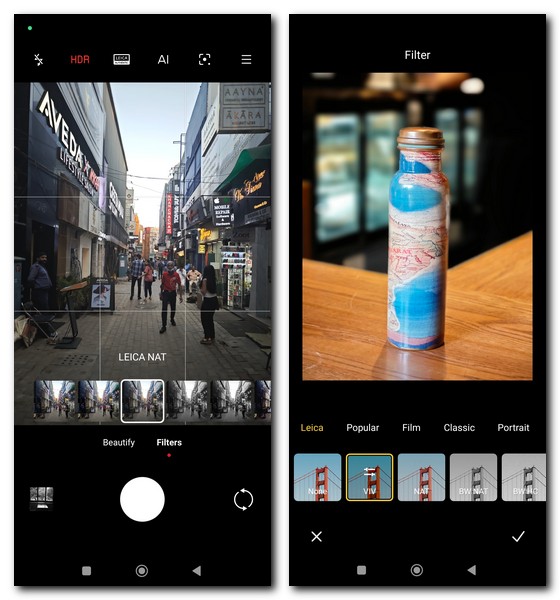
The Master Lens System gives you special Leica shooting options, but only when you’re in portrait mode. If you want something similar when shooting in normal mode, tap the star icon in the lower right corner of the Camera app. Like other Xiaomi phones, this will give you access to a number of shooting options. What’s different about the Xiaomi 13 Pro is that you get four filters that are specially designed by Leica – Leica Neutral, Leica Vivid, Leica Black and White High Contrast and Leica Black and White Natural. You can shoot using any of these four filters with any of the three cameras on the back, and use these filters with any photos stored on the device.
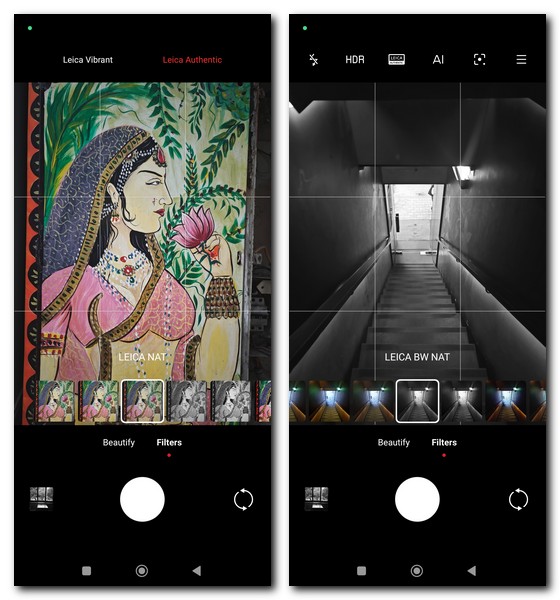
Interestingly, however, these filters are not available when you are taking a selfie, though you can apply them to the selfie after you have taken it. And of course, you still have the option of choosing the Leica Authentic and Leica Vivid styles when shooting using these filters, so you really add even more Leica to your snaps. Of the four filters, we like the two black and white ones the most, not only because of Leica’s stellar track record in black and white photography, but also because of how well they handle those two colors. The black and white high contrast is particularly capable of adding richness to black and white without going over the top – a great default choice for general photography for Leica fans, we think.
The Leica frame seems to be “shot on a Leica” for those
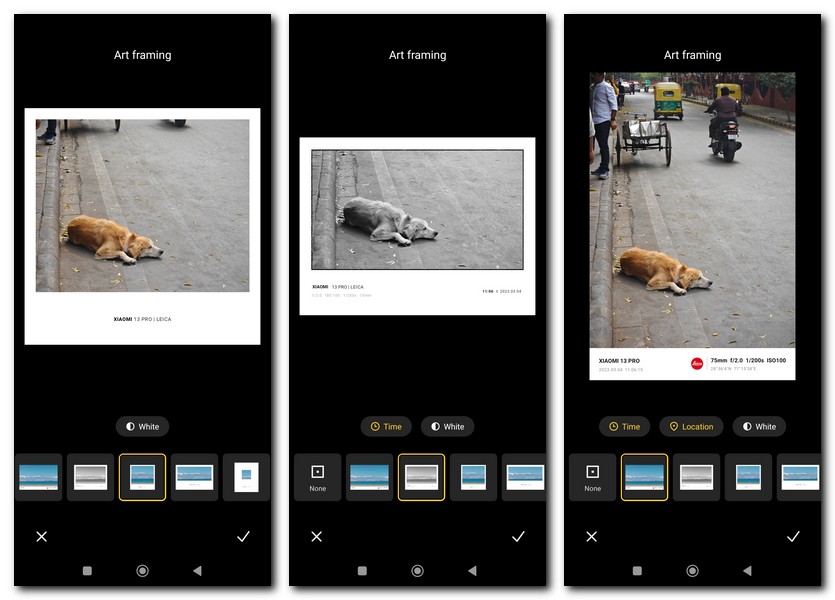
Many of the photos being used in the marketing of the Xiaomi 13 Pro come with prominent black or white borders with the Leica and Xiaomi 13 Pro branding as well as information about the photos like time, location, and lens. setting used. It looks very classy and sleek and if you fancy them, there are two ways to bring this Leica touch to your photos on the Xiaomi 13 Pro. You can add them to the images you already have on the phone by selecting the Edit option in the Photo Gallery app and then selecting the AI option. Once there, select Art Framing, and choose from one of six frame options. Another way is to get the frame from the get-go by going to Camera in the device settings, choosing Watermark, and specifying the Leica watermark there.
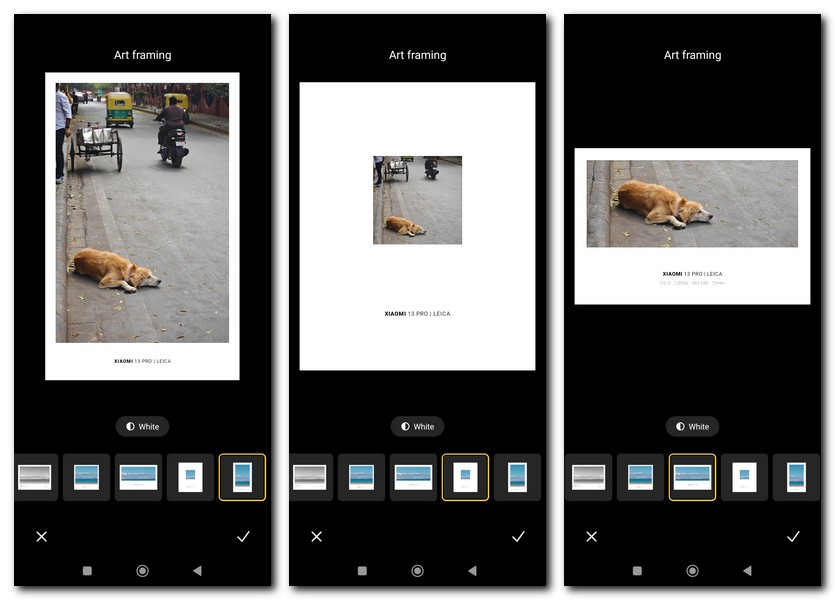
If you just want a Leica watermark without the frame and other details, just choose Device Watermark. The problem with choosing a Leica watermark, however, is that you have no control over the type of frame to choose, although you can change it later in the photo gallery. Interestingly, the Leica watermark option won’t work when shooting with the selfie camera, but you can add it from the photo gallery. In fact, you can add Lesia Frames to any picture in Photo Gallery even if it is taken with another camera and downloaded to the device, which is really not fair. Still, those frames are great for those with that “shot on a Leica” feel. Just remember that only the first frame in the AI list has the iconic red Leica logo – luckily, when you set the camera to the Leica watermark it’s also present in the frame!
One more thing… listen to the camera
When you take a picture with the Xiaomi 13 Pro, you not only see the picture you take or are about to take, but also hear the sound that the camera makes while capturing the image. That little metallic shutter click you hear is what you hear from a Leica camera!


