

Taiwanese electronics giant ASUS has unveiled its latest addition to its iconic ROG lineup. One of them is the ROG Strix Scar 16, which can be considered a significant upgrade over last year’s model and has been priced keeping that in mind. Starting at Rs 2,79,990, the latest ROG offering is primarily suited for users with deep pockets. However, there’s a good reason the Strix Scar 16 takes such a sizable bite out of your wallet. Looking at the specifications on paper, the device is likely one of the most powerful laptops in the world at the moment. ASUS has rarely disappointed me with its top-of-the-line offerings and I have no reason to believe otherwise with the Scar 16. Let us find out what this gaming machine is capable of in this full review.
Build, Design and Port
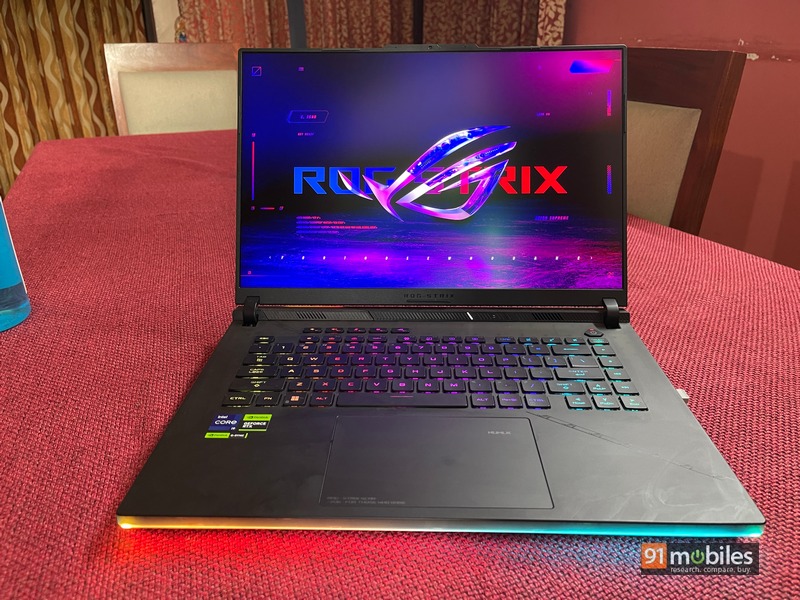
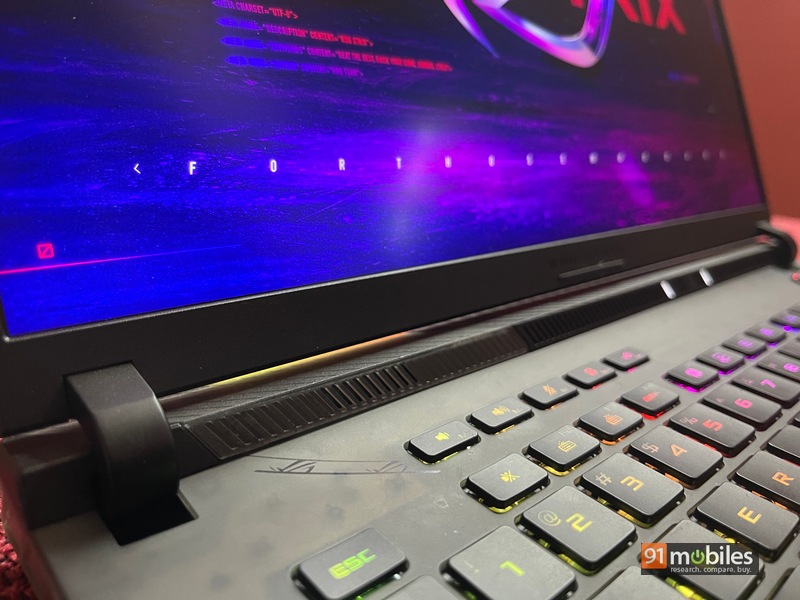
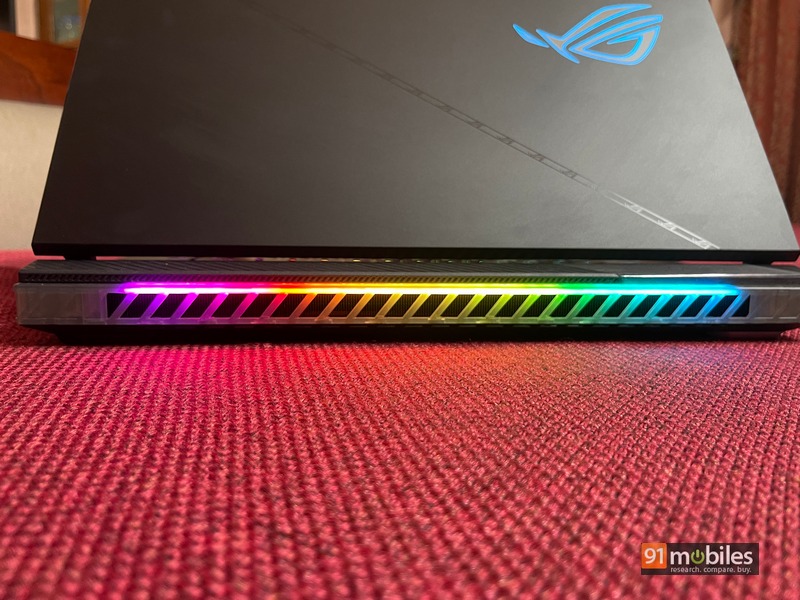
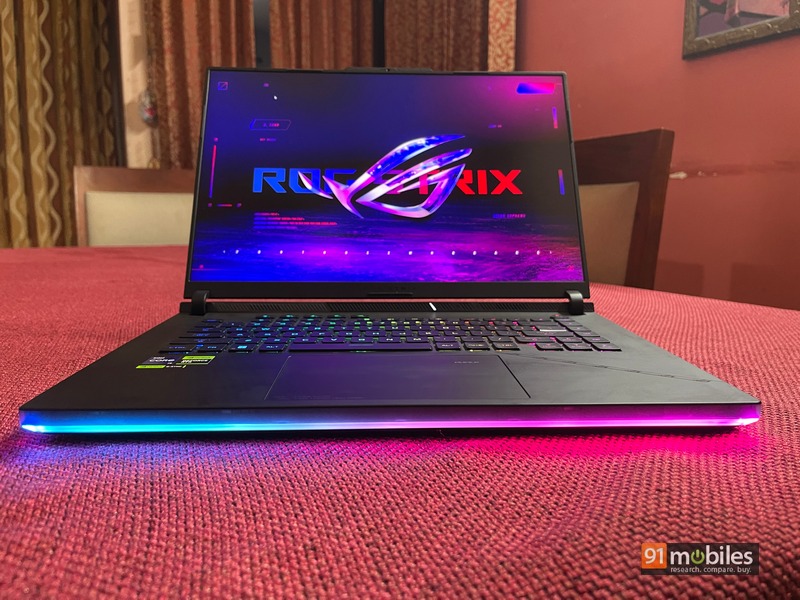
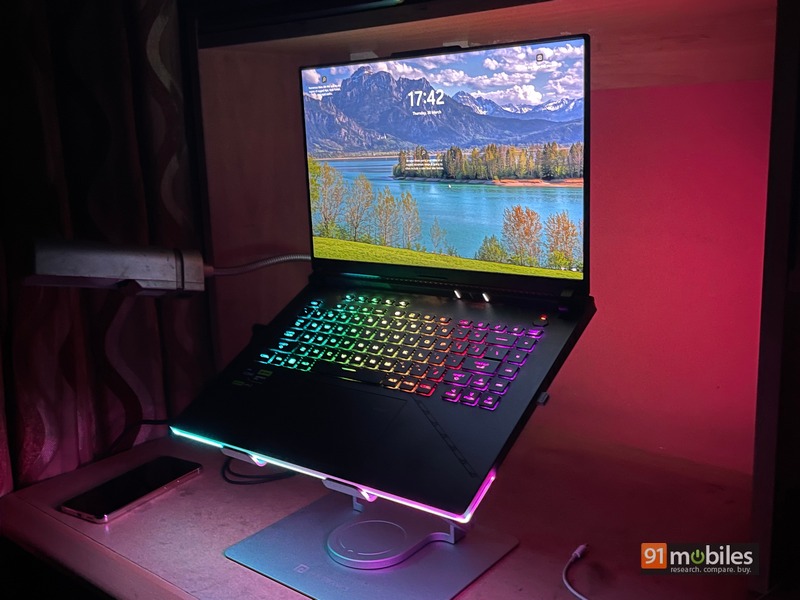
As far as the exteriors are concerned, the Scar 16 takes cues from its last iteration. This includes the strip of ROG branding that divides the sleek-looking lid. A replication of this design choice can also be seen on the inside of the keyboard. However, one side sports a translucent finish, allowing an inconspicuous peek of the motherboard. Like its predecessor, it offers a very unique look to the laptop in a segment where looks are a major selling point. While the lid has a metal build, the base is made using matte-finish plastic. There’s only one color option to choose from, but it suits me as the Deep Gray scheme plays well with the laptop’s RGB light show. You are greeted with the Oro Glow lighting strip at the bottom, and at the back as well, not to mention the ROG logo is also lit up like a Christmas tree.
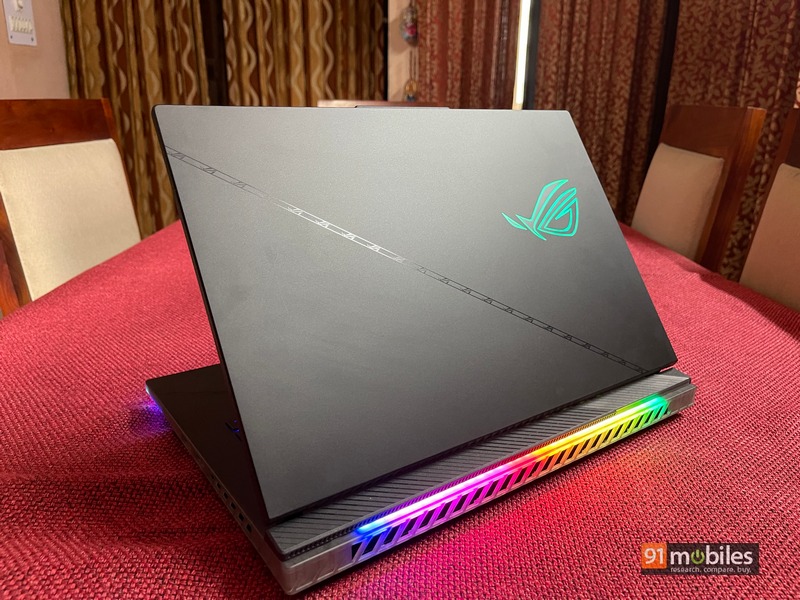
Build-wise, the Scar 16 is as tough and sturdy as they come. Of course, the beefy internals leave little room for portability with the device weighing around 2.5kg. If you take that out, you’ll also have to make room for an unusually large 330W charging brick. In short, if you are willing to buy this machine, put it on your desk and leave it there. The hinge design impressed me a lot, the lid opens easily with just one finger. Even then, the display can only tilt up to about 135 degrees which I found a bit restrictive. The replaceable armor caps, a feature of last year’s Scar series, have been ported over to this current generation. They snap magnetically right under the lid, and can also be customized to your liking. Thermal outlets are present on three sides, the most prominent of which is at the rear near the heatsink. Finally, we also get the long-awaited webcam and it is placed right above the display.
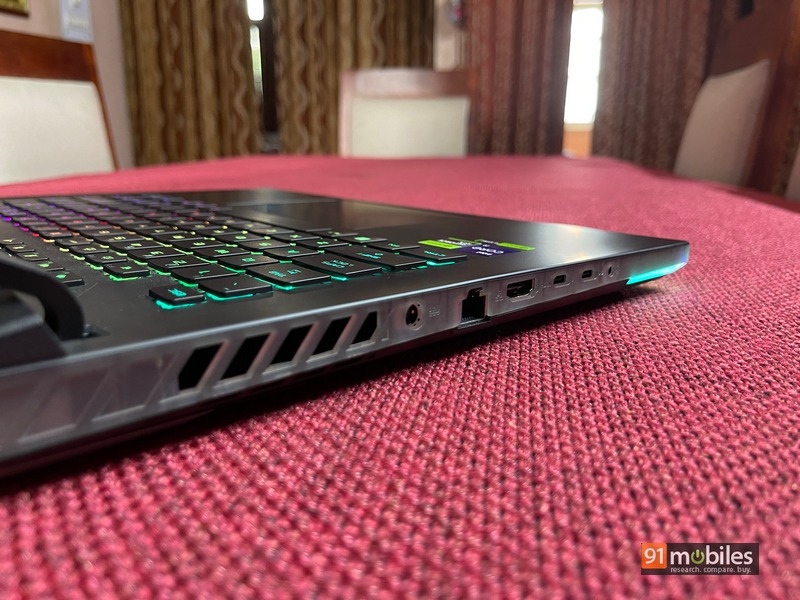
Now coming to the ports of the device and you can see there have been some upgrades as well. Above last year’s Gen1 slot are two USB 3.2 Type-A Gen2 ports. The USB Type-C 3.2 port remains the same as before and has both DisplayPort and Power Delivery capabilities. However, the second Type-C port, along with Thunderbolt 4, could support a second display with G-Sync. Apart from this you get HDMI 2.1, 2.5G LAN RJ-45 and a 3.5mm headphone jack. In terms of wireless options, the laptop has Wi-Fi 6E (triple-band) support along with Bluetooth 5.2 connectivity. I’d love to add a microSD or SD card reader for more versatility. Also, there is no biometric option to unlock the laptop.
Also Read: ASUS ROG Strix Scar 17 SE Review: Performance for the ages
Show
The Strix Scar 16’s display has received major upgrades, the most prominent being a mini-LED panel that is being used to replace the LCD screen last year. While not in the same league as a true OLED offering, the Scar 16 can be considered more than optimal for gaming and viewing. Branded as the Nebula HDR display, the laptop packs in 1,024 local dimming zones, which isn’t best in class, but the screen does a fairly decent job of enhancing blacks. Apart from this, the display gets very bright up to 1,100nits when HDR content is being played. The gaming experience is handled by the 240Hz refresh rate and 3ms response time both on offer
Which is definitely the best. Support for G-Sync is also a part of it, which helps reduce frame bursting and provide smoother gameplay.
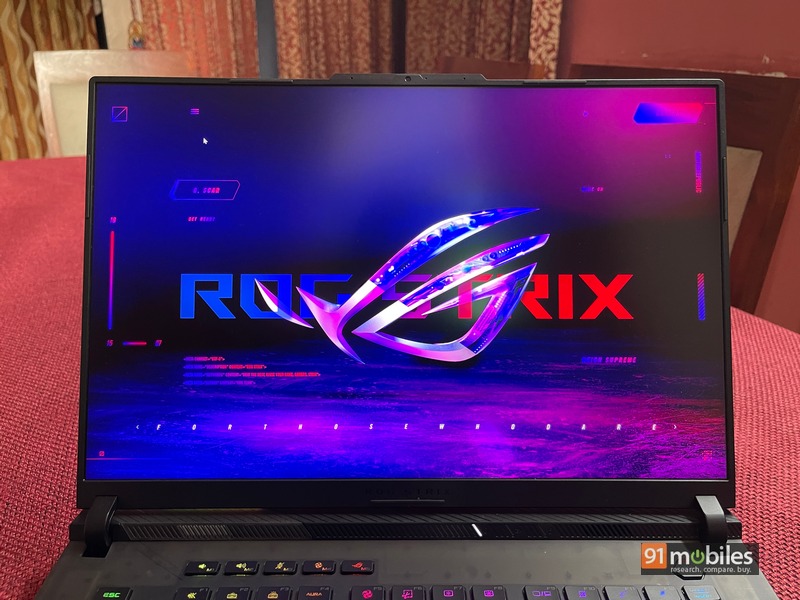
When it comes to color reproduction, the Scar 16’s display leaves little stone unturned in its quest to provide an immersive experience. Apart from being certified for Dolby Vision, the screen also has Pantone verification and support for 100 percent of the DCI-P3 color gamut. An anti-glare coating is present on the display but it doesn’t mute the colors in the slightest and instead makes it very easy to see content even with bright light behind me. The 16:10 screen can output QHD (2,560 x 1,600) resolution. From my time playing graphics-heavy AAA titles to watching HDR content, the ASUS Strix Scar 16 has been a tremendous pleasure. The local dimming zones activate flawlessly for deep blacks that go well with the contrasty nature of the panel. Still, the device isn’t highly suited for any color correction or creative work.
keyboard and trackpad
ASUS’ keyboard game has almost always been top drawer, and I’m happy to report that it hasn’t changed one bit with the Scar 16. The rubber-dome switch implementation, prevalent on the ROG over the past few generations, works well in terms of inputs and tactile experience. The keys are spaced thanks to the widened chassis, with no trunnions on the side. There are a few hotkeys along the top like volume controls, fan speed, and Asus’ Armory Crate launcher.
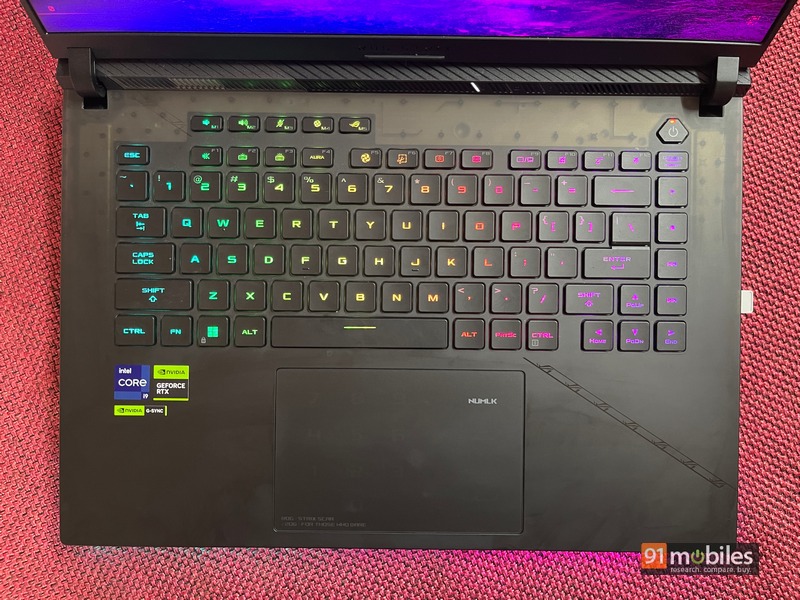
Per-key RGB customization is available in the app and you can adjust the backlighting to three levels. I appreciate the fact that the arrow keys are full size, although I would have liked the right Shift key to be a bit taller. What I really like is the small air inlets on the WASD keys that keep my fingers cool even when the surrounding area is hot. The overall typing feel on the keyboard is refined and a bit too shallow for my liking at 2mm on each key.
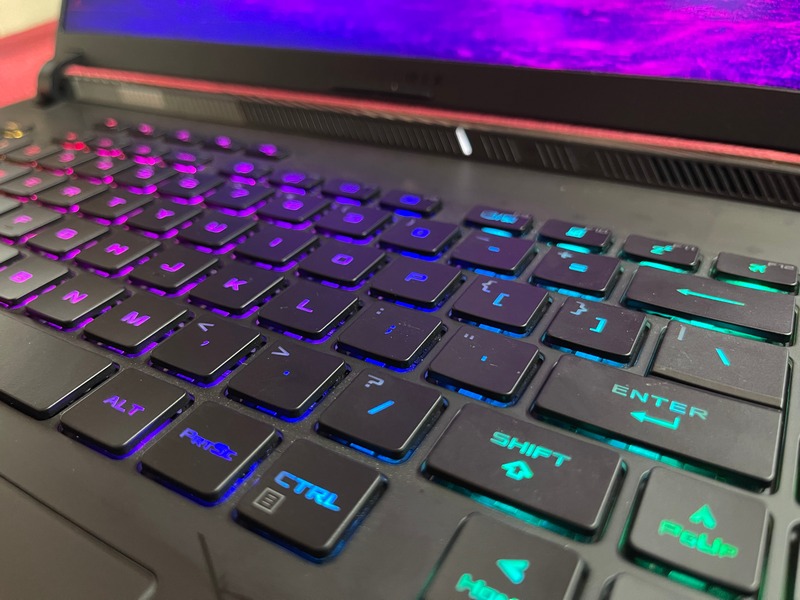
For the trackpad, it has ample surface area and comes with a glass coating. My finger glides over it quite smoothly while the response rate is also quite good. The trackpad also doubles as a virtual numberpad, with large squares outlined for each number and symbol. Personally, I think it’s a gimmick and not very useful, but you may feel differently. Beyond that, gesture controls work relatively well, though not as smoothly as you’d see on a Mac. In conclusion, my thoughts are that investing in a proper gaming mouse would be worthwhile if your intention is not only to browse the internet on the machine.
Display, Software and Audio
Under the hood, the Scar 16 employs Intel’s i9 13980HX processor, one of the most powerful pieces of silicon currently in the PC world. This 24-core CPU has eight performance cores and 16 efficiency cores with a maximum turbo frequency of 5.6GHz. In terms of TDP, the chipset draws upwards of 150W when in Turbo mode, which emphasizes excellent performance when demanded. I won’t go into general benchmarking numbers too much because the Scar 16 completely blew last year’s competition out of the water. The Cinebench R23 multi-core score of 30,065 is the best I’ve seen on any laptop so far. You can expect any common task, like casual Chrome browsing or Microsoft Office or almost any app to run smoothly. PCMark 10’s score of 9,137 indicates quite a bit.

In terms of storage, the Version I came with 32GB dual-channel DDR5-4800 RAM and 1TB PCIe Gen 4 SSD. If you want more, the laptop can have up to 64GB of RAM and has two slots for PCIe G4 slots arranged in a RAID 0 configuration for up to 4TB of storage. I ran the CrystalDiskMark test for SSD speed and got about 6,993MB/s and 5,132MB/s as read and write speeds, respectively. For the uninitiated, this type of SSD performance is basically overkill and won’t be necessary for typical gaming needs. However, if you’re moving large video projects within the system, the process becomes much faster thanks to the SSD’s configuration.
Ok, GPU. NVIDIA’s RTX 4080 handles the bulk of the graphical tasks thrown at the Strix Scar 16. With Dynamic Boost enabled, the GPU can draw upwards of 175W, a 25W jump from last year’s model. In manual mode, the total crossload with the CPU and discrete GPU can go up to 240W, and this in turn can generate a lot of heat. However, the thermal capabilities of the device take care of any concerns that may arise. As mentioned earlier, the heatsink in place spans the entire width of the laptop which helps in greater heat dissipation. There is also a third fan, along with two large fans, which is specially placed to cool the GPU. Also you have seven heat pipes leading away from the CPU and ConductoNot Extreme Liquid Metal is being used instead of regular thermal paste. In short, the Scar 16’s heat dissipation setup is extremely robust and makes for an enjoyable gaming experience.
With the RTX 4080, paired with 8GB of DDR6 VRAM, even a demanding AAA title will run at full tilt with no lag. Here are some FPS calculations on popular games, but there are a few things to note. The resolution is set to 2K, ray-tracing is maxed out, DLSS is on and graphics are set to the highest possible settings. shadow of the tomb raider Benchmarked at an average frame rate of 134fps. cyberpunk 2077 did 104fps, although the in-game count fluctuated between 95-105fps depending on how much texture had to be rendered. monstrous 3 while did between 90-100fps God of war Settled nicely between 100-110fps. less intense titles like cs:go While can shoot 350fps smoothly Call of Duty: Warzone hovers around the 200fps mark as well. These are just hugely impressive numbers and what I really liked is how well the FPS count is maintained even after very long gaming sessions. The MUX switch, which bypasses the CPU and connects the display directly to the GPU, is one of the many reasons why the Scar 16 is a formidable gaming behemoth.

Out of the box, the laptop comes with Windows 11, which is to be expected on laptops nowadays. The real cherry on top is the Armory Crate app that lets you fine-tune your use down to the smallest details. This is where you’re always in the know about your CPU and GPU temps, fan speeds, GPU modes enabled, and more. The performance profile can be selected here as well and customized to your liking along with changing the display response time. Lastly, the overhang of the RBG lighting on the chassis and keyboard can also be changed within the app. The device has a quad-speaker setup for audio, but I wouldn’t count on it being any good when gaming. Furthermore, the 720p webcam, while a nice addition, is passable at best and should be limited to video-conferencing calls only.
Battery
The laptop packs a 90Whr battery, but it won’t do much without the 330W charging brick included in the box. By default, the laptop powers down most of its processing power when unplugged, but even with that, you’d be hard-pressed to get four hours of screen-on time with the Scar 16. The device is designed to operate with its AC on. adapter and not doing so is going to diminish your experience.
Decision
Apparently more RTX 4000 series laptops with 13th generation Intel processors will be added. All of them will undoubtedly be quite good in the performance department and will more than likely cost a pretty penny. However, ASUS has a history of making remarkably high-octane laptops that do nothing to disturb a fluid gaming experience. The ROG Strix Scar 16 has all the ingredients for the highest quality performance in GPU and processor-intensive tasks. It also has a remarkable display to back it up and a string of software and hardware tricks to keep its gamer aesthetic.
Apart from a missed SD card slot and average speakers, the laptop doesn’t miss a beat at all. I guess what I’m saying is that 2023 will reveal many more capable machines, but I doubt any will quite match the ASUS ROG Strix Scar 16’s overall package. line gaming laptops this year, the ROG Strix Scar 16 is definitely a strong contender that shouldn’t be overlooked.
Editor’s rating: 4/5
Pros:
- top performance
- Great display for gaming
- solid gamer aesthetic
- effective thermal management
Shortcoming:
- Could use an SD card slot
- 720p webcam
- super-par speaker


