

Apple and Samsung are old hands, Xiaomi and Realme are strong in the affordable segment, brands like Motorola and Nokia are relatively new, while OPPO is among the most recent entrants. I am talking about the tablet segment, a category that keeps on surprising. It has seen significant growth in the last 2-3 years, but I am not sure that more growth can be expected in the very near future. Regardless, OnePlus seems to think its time has come to enter this arena, and the result is the aptly named OnePlus Pad, its first slate from the brand. Right from the start, it looks like the brand is trying to follow the same strategy that it followed when it first came into limelight – offering premium devices at comparatively lower price points. The flagship specs, premium build and ~40k sticker price of the OnePlus Pad definitely point in this direction. Read on for my OnePlus Pad review to see how it fared.
design and performance
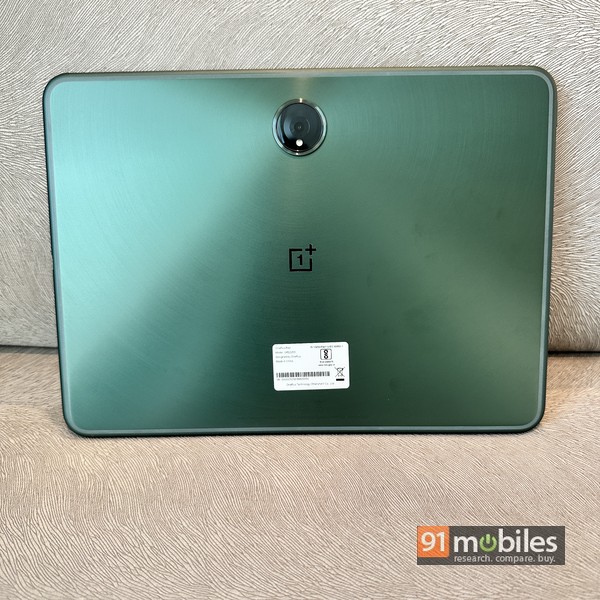
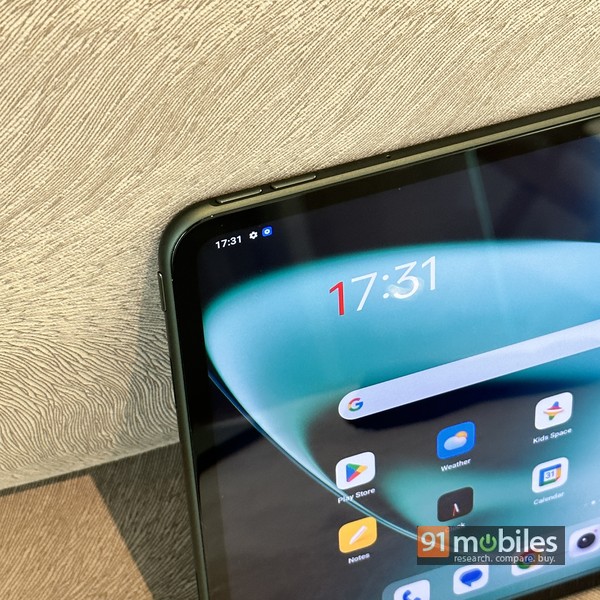
It doesn’t take more than a few minutes to realize that OnePlus has left no stone unturned when it comes to design and build quality – this slate is crafted to impress. The sleek “halo green” metal unibody with 2.5D curved edges, concentric circle pattern on the back, center-aligned camera lens, and thin bezels around the large 11.61-inch display all do their job and ensure That tablet exudes class and screams premium. The device is quite slim, just 0.65cm thick and weighs 552g – almost half a kilo.
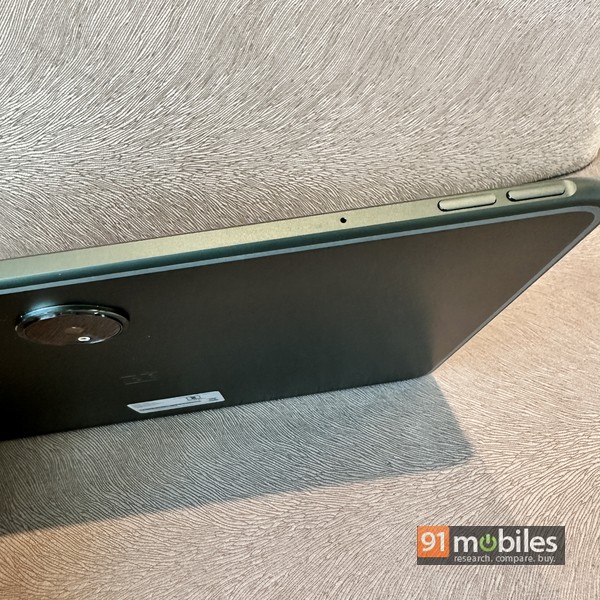
The top edge of the tablet (when held in portrait mode) is flat and houses two separate volume keys on the left side, and a strip where the optional stylus attaches magnetically. The power key is on the top left, while the USB Type-C port is on the right. There’s a pair of slits for the speakers on either side, while there are three pogo pin connectors on the bottom for connecting an optional keyboard cover. The rear houses a large camera lens that hides a 13MP sensor. The front snapper uses an 8MP sensor, and is positioned above the display as usual.
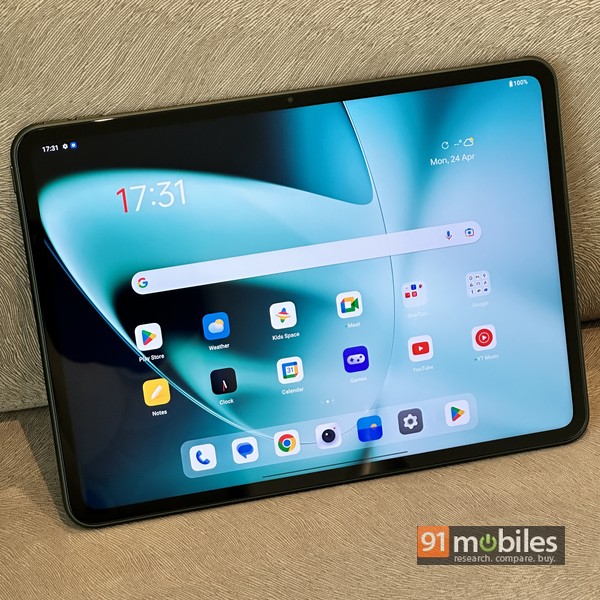
The 11.61-inch screen is of LCD variety, offering a resolution of 2,800 x 2,000 pixels. The unconventional 7:5 aspect ratio means it’s wider than others and, according to OnePlus, makes it ideal for reading. The second segment first is the 144Hz refresh rate, which translates into smooth scrolling, and automatically adjusts between 30, 60, 90, and 120Hz according to different usage scenarios to save battery. In truth, you won’t find a huge difference compared to any other tablet with a 120Hz display, but it’s nice nonetheless. Thanks to 500 nits of peak brightness, the OnePlus Pad’s display is plenty bright and Dolby Vision support means it’s great for media consumption too – supported video content with good dynamic range looks very enjoyable.
software and ecosystem

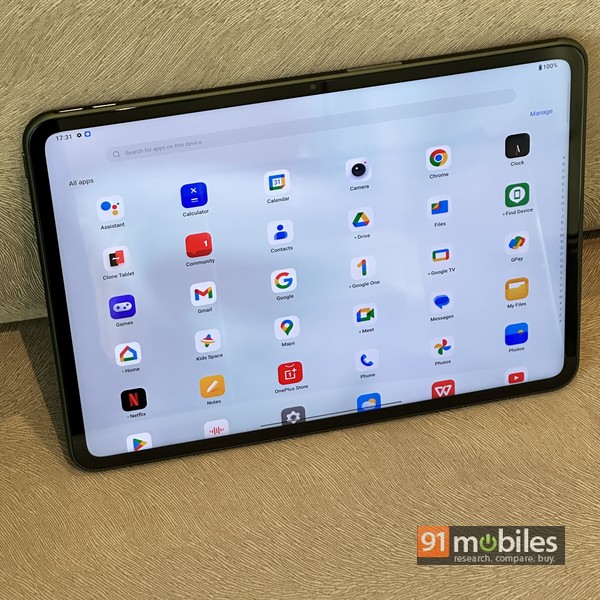
The slate runs OxygenOS 13.1 on top of Android 13, and the UI is close to stock for the most part. You also get Google Kids Space which lets you create separate user profiles for kids, complete with age-appropriate content and apps. Except Netflix. WPS Office, and 3-4 apps from OnePlus, no bloatware here to spoil the usage experience. There are no spammy notifications either, thank goodness. As might be expected, OnePlus has included some nifty additions. This includes the OnePlus Shelf (a customizable panel that you can populate using widgets) with smart suggestions by swiping down anywhere on the home screen, the ability to hide apps and password-protect them ( in the app drawer by swiping right), a smart sidebar where you can add your favorite apps for quick access and more. A pre-installed game app enables a special overlay that appears on top of the game and gives you access to some gaming-specific features with useful information such as FPS, CPU/GPU usage, etc. that help you multitask and make the best use of the ample screen real estate. These include Split Screen which is activated by a two-finger swipe down from the middle of the display, allowing two apps to run side-by-side. You can also open apps as floating windows that can be resized and dragged to any part of the screen.
OnePlus has also included some ecosystem features in the Pad, which is not surprising considering it is following a similar methodology in other segments like smartwatches and smart TVs. So if you have a OnePlus phone running OxygenOS 13.1 or later, it can automatically connect to the pad, provided both devices are signed in to the same OnePlus account. This enables features such as screen mirroring, content sync (which involves sharing clipboard content between two devices and synchronizing media such as captured photos and videos), and App Relay. There’s also a cellular data-sharing feature that lets the tablet access the Internet using the paired phone’s connection. Obviously, this can work automatically and doesn’t actually require a Wi-Fi hotspot to be set up on the phone, which would be the more traditional way of doing it. I couldn’t try out these features myself as many of these will be coming via a software update to supported phones expected in June. It also includes a nifty Notes app that includes drawing and voice-to-text, and cloud backup and sync features.
keyboard and stylus
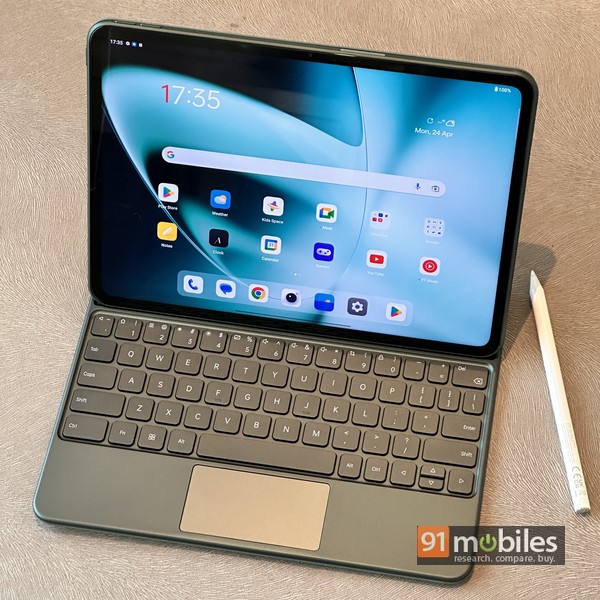
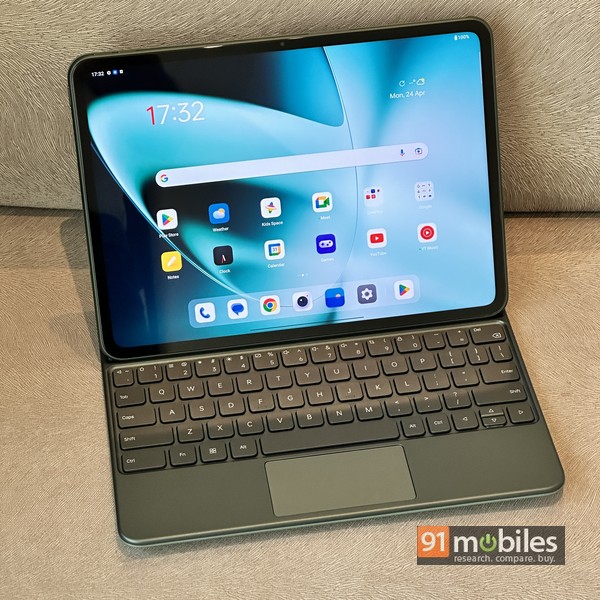
A tablet, especially one with a screen as large as the OnePlus Pad, can handle work responsibilities as well. Following convention, and rightly so, the tablet could make use of a keyboard cover and a stylus, both of which are optional purchases and sold as accessories by the brand. The keyboard wrapped in matching green color and covered in premium faux leather adds to the looks and premiumness of the device. Attaching magnetically to the pogo pin connectors on the base of the slate, the cover adds protection and provides a kickstarting addition to the ability to input text and control the tablet via its trackpad. Effectively converting the tablet into a mini laptop, the keys on the keyboard are nice to type on – the overall size is a bit cramped and takes a bit of getting used to, but otherwise, comes across as a useful accessory, top The row also enables shortcuts such as controlling volume and screen brightness in conjunction with the function buttons. Apart from this, OnePlus also provides a bunch of keyboard shortcuts that you can use with a special key located on the bottom row. It doesn’t appear that these are customizable, but you can see a list of available shortcuts under the keyboard settings. Again, there’s a slight learning curve involved, but I think it makes a useful addition. The trackpad may be a bit smaller than your laptop’s, but it’s plenty comfortable and responsive, and makes it easy to navigate and control the tablet.
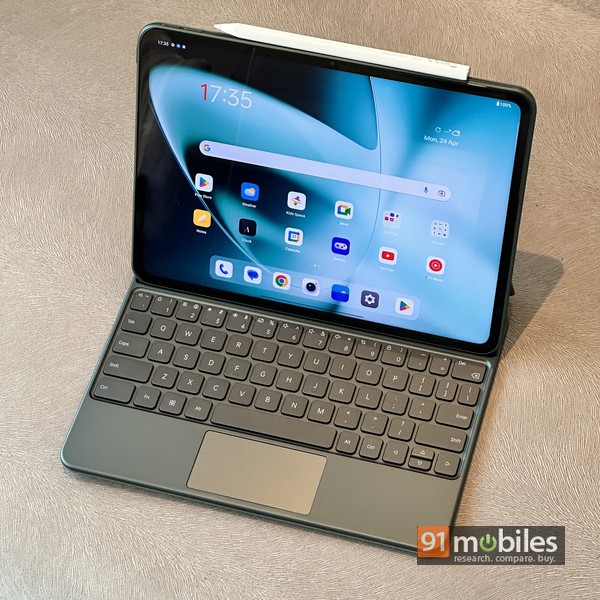
Then there’s the stylus, which is also an optional purchase. It bears the moniker OnePlus Stylo, and attaches magnetically to the strip at the top of the tablet. By doing this, the stylus also improves. Both the devices talk to each other over Bluetooth, and the brand promises 4,906ms low latency for smooth usage, along with support for pressure levels. The white appendage can be used with the preloaded Notes app or any other supported third-party app for doodling, note-taking, and creative purposes. The Stylo also offers some useful features. You can double tap on it to switch between the current tool and the eraser (this can be customized via Settings). In addition, double-tapping when the tablet’s display is off opens a quick note using the stylo – useful in a pinch.
Performance, Battery Life and Audio
The OnePlus Pad uses MediaTek’s Dimensity 9000 SoC, a flagship-grade chip previously seen in smartphones such as the Vivo X80 and the Oppo Find N2 Flip. On the OnePlus Pad, this SoC is mated to either 8 or 12GB of RAM, depending on the variant you choose, giving you 128GB or 256GB of UFS 3.1 storage, respectively. It’s a powerful combination, resulting in smooth, lag-free performance for pretty much everything you do on the slate.
The 9,510mAh battery is a performer too, and should last for days with intermittent use, depending on how long you use the device and the kind of apps you run. Even with extensive, heavy use, you shouldn’t feel the need to charge it in the middle of the day. To top it all, 67W SuperVOOC charging charges the slate better in just under an hour and a half. This is the fastest charging speed we’ve seen on a tablet so far, and needless to say, it can be a boon as it significantly reduces the amount of time your device needs to stay connected to a wall socket. Audio quality is decent enough through the quad-speaker setup, so there’s nothing to complain about. The 13MP rear and 8MP front snappers also do their job. Also worth noting is the fact that the tablet does not have a fingerprint sensor, but it does come with Face Unlock feature which works quite well at least in good lighting conditions.
Decision
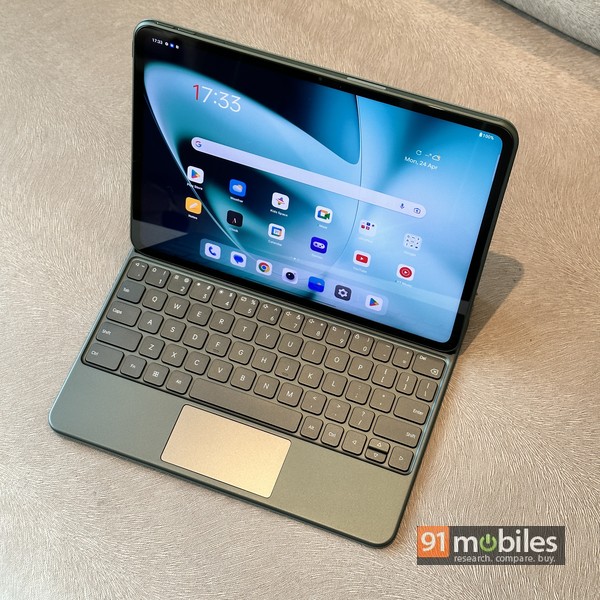
As I mentioned earlier, the OnePlus Pad sticks to the same ethos that the brand’s devices are known to follow – offering more for less. This is a premium slate with flagship performance, and one that shines in almost all aspects. There’s no cellular option available, at least not yet, and while that may not appeal to many, it feels like a miss. However a hotspot/data sharing is a quick and easy solution for this. The tablet is priced at Rs 37,999 for the 8GB/128GB model and Rs 39,999 for the 12GB/256GB version, while the Stylo will cost you Rs 4,999 and the keyboard cover will cost Rs 7,999. While the stylus may not be useful to everyone, I think the keyboard cover makes for a useful addition, especially if you intend to use the device for work. The combo can be a useful companion while traveling, jumping between meetings, handling work calls via Zoom/Google Meet, jotting down emails, etc. Not to mention the whole entertainment and content consumption angle – a use case where the OnePlus Pad also shines. The Xiaomi Pad 5 (Review) is a worthy contender, and is ~10k cheaper, but in its price segment, perhaps the closest competitor to the OnePlus Pad would be the Apple iPad 10th generation. Android vs iOS is an entirely different story, and involves considering the strengths and weaknesses of each platform, as well as figuring out how much you’ve invested in the OS. To be fair, iOS still seems better suited for use on tablets, but it’s not everyone’s cup of tea. Moving back to the Android side of the fence, the OnePlus Pad should go up against premium options from Samsung and Lenovo that cost more. All said and done, if you need a premium Android tablet for work and play, the value proposition offered by the OnePlus Pad will be hard to beat.
Editor’s rating: 4/5
Pros:
- Solid Build, Premium Look and Feel
- good screen
- smooth performance
- Good Battery Life and Fast Charging
Shortcoming:
- no cellular model
- misses fingerprint sensor


